
View And Manage Players
View
Hardware that contains Signet Playback Software to communicate with the Content Manager.
There are two ways to access Media and Messages:
- Content > Media
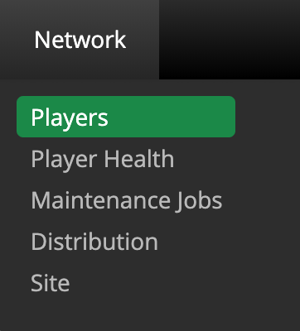
2. Dashboard > Players
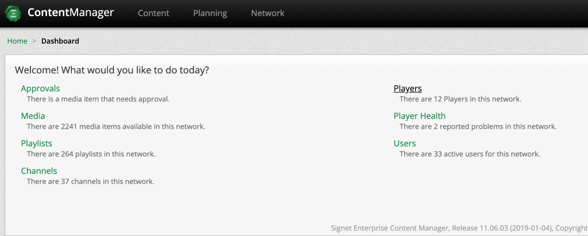
Create
There are two ways to create Players in the Content Manager
- Select
 and go through the following steps:
-
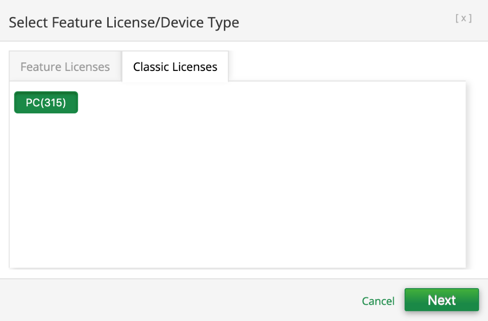
- Navigate to the Classic Licenses tab then select Next.
-
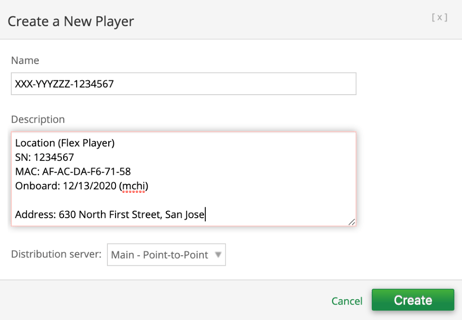
- Fill in the Name and Description using the following convention:
-
-
- Name
-
-
-
- Description
-
-
- After creation update the following important information:
-
-
- Player Groups
- Channel
- Configuration > Download threads: 5
- Metadata > Setup if applicable

-
- Select
 and go through the following steps:
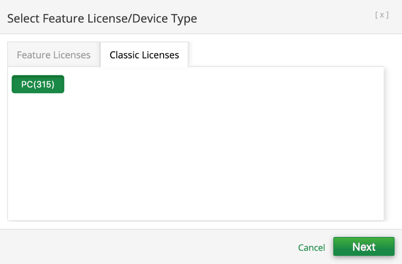
- Navigate to the Classic Licenses tab then select Next.
-
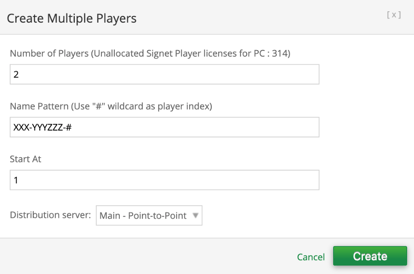
- Fill in the following information:
-
-
- Number of Players
- Name Pattern
-
-
- After creation update the following important information by selecting the checkbox:
-
-
- Player Groups
- Channel
- Configuration > Download threads: 5
- Metadata > Setup if applicable

-
Edit
There are two ways to edit Players:
- First, you can select one player and select
 or multiple players and select
  .
.
- Second, you can simply click the player name.
After making the necessary changes make sure to save your work

Delete
To delete Players, select one or multiple check boxes associated to the media and click  .
.
