
How to Trust Signet Door Monitor app on an iPad
- Install IPA file;
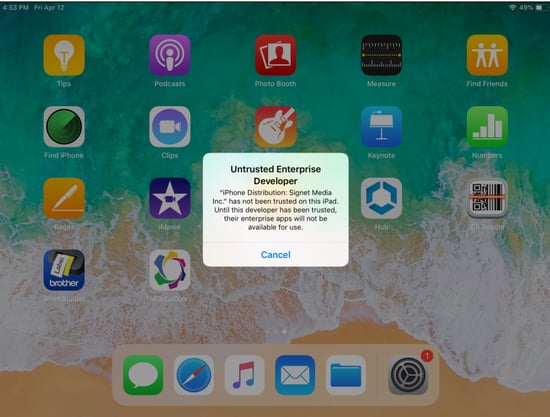
- If you select the Signet Door Monitor application icon and get this error:
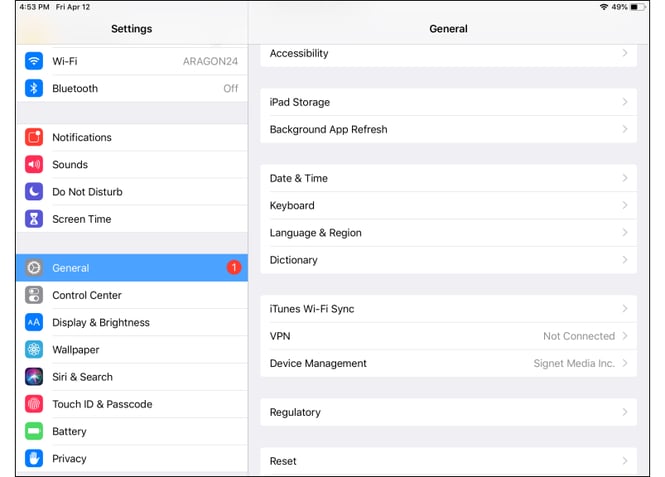
- Go to > Settings > General > Device Management;
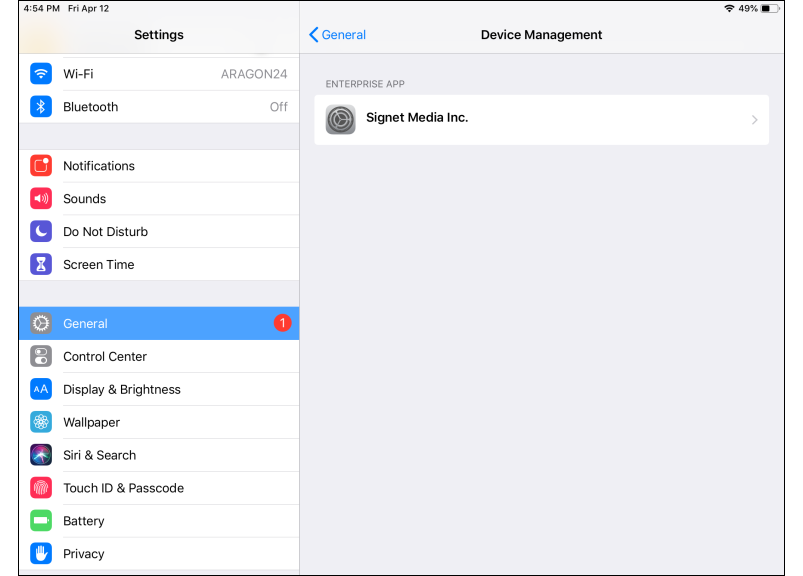
- Select Signet Media Inc. from the Enterprise App section;
- Select Trust “Signet Media Inc.”;
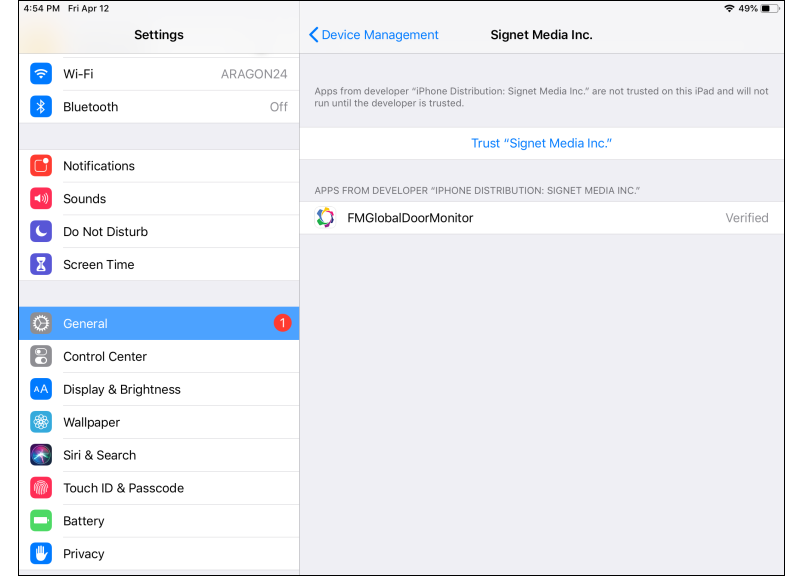
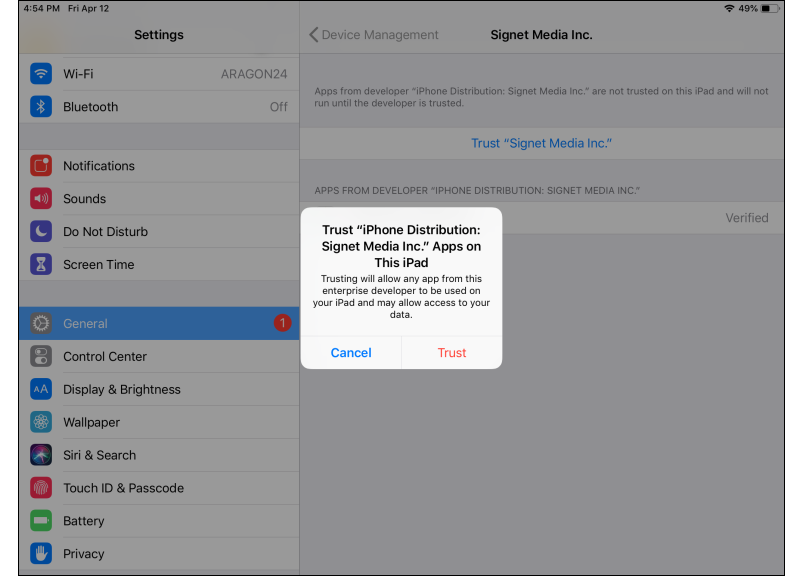
7. Done. Signet Door Monitor app is trusted and ready for use;
8. Select Signet Door Monitor app icon for use.