Digital signage is showing a black screen
Troubleshooting Steps:
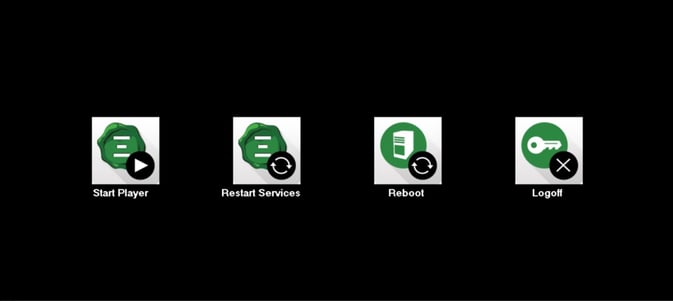
First, make sure the display is powered up. If you see the Signet Control Buttons (example attached) or Windows Environment, please restart the box by pressing the button on Signet Device.
Secondly, make sure the HDMI/DisplayPort extender is securely plugged in. Please try re-plugging the HDMI/DisplayPort cable.
Also, there is a small Signet Box behind the screen. Please restart the box by pressing the button. If you’re still experiencing an issue please submit your data to support@signet.tv.
Data to be submitted:
- Full name, Phone#,
- Company Name
- Troubleshooting steps followed
Signet Control Buttons