Summary
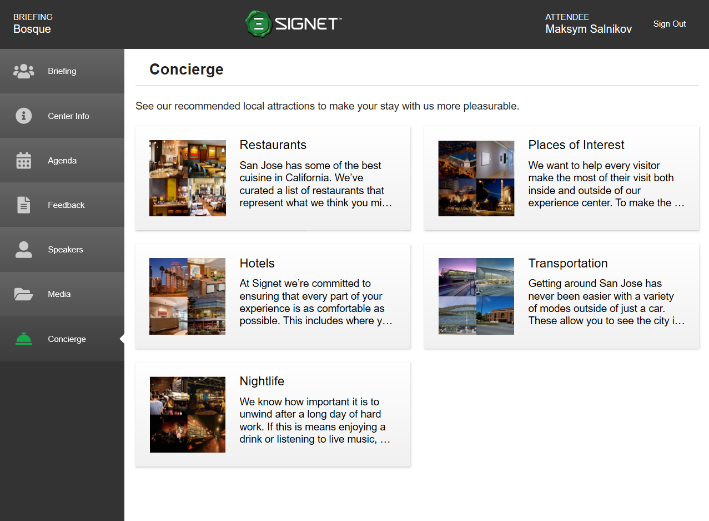
The Concierge tab first shows all the categories available for attendees to view within the concierge section (Figure 9.1). Concierge items are things like restaurants, hotels, transportation options, nightlife, and places of interest to help attendees make the most of their visit to the customer experience center.
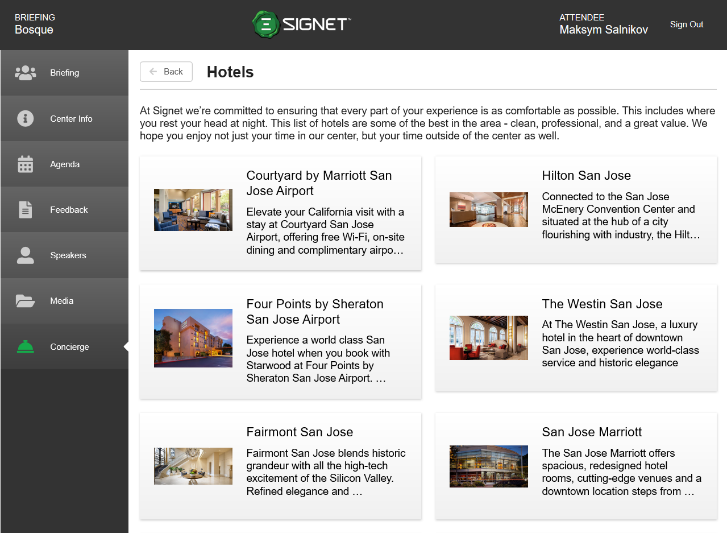
After choosing a category, attendees will see a grid of concierge items they can choose to view (Figure 9.2). Clicking the “Back” button returns attendees to the previous page with all categories to choose from.
|
Figure 9.1 - Concierge categories |
Figure 9.2 - Concierge categories items |
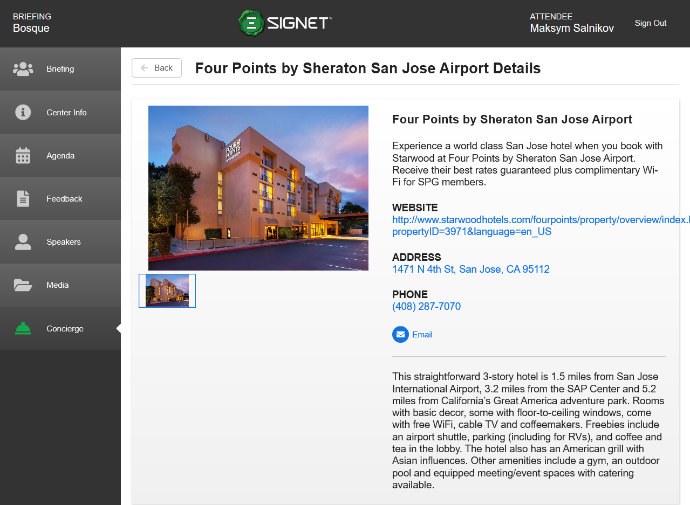
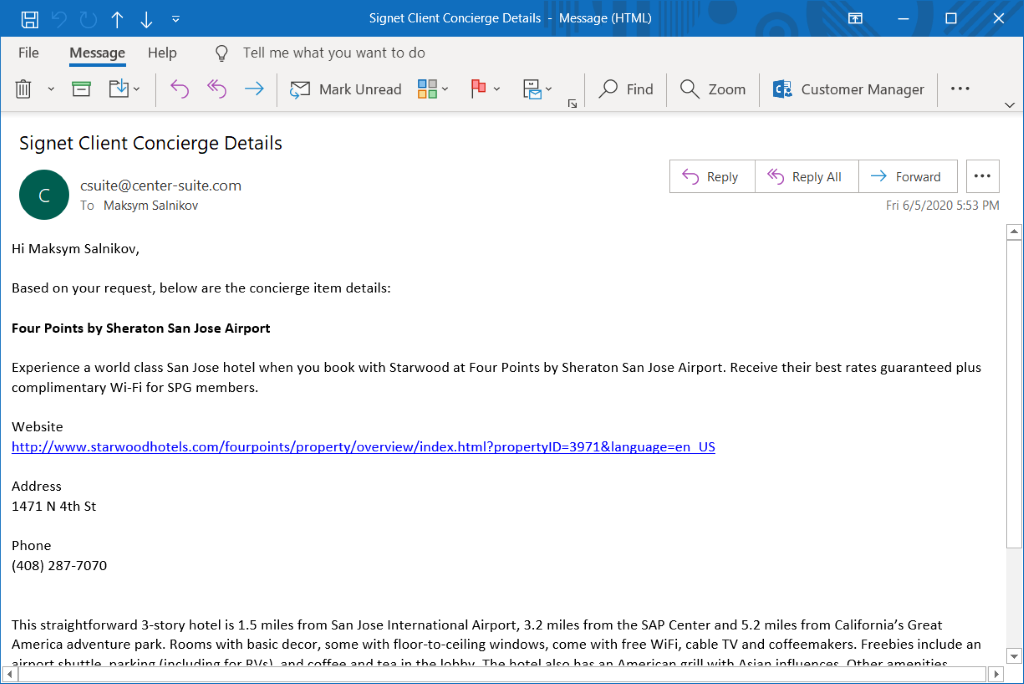
Choosing a specific concierge item takes attendees to a page with detailed information such as a description, pictures, website, address, and phone number (Figure 9.3). Users can email the contents of this page to themselves(Figure 9.4). Attendees can navigate to the website by selecting the link. Clicking the address opens it in their maps app and attendees on mobile devices can select the phone number to open the number in their dialer. Clicking the “Back” button returns attendees to the previous page with all concierge items to choose from.
|
Figure 9.3 - Concierge item with picture |
Figure 9.4 - Concierge item email |