Summary
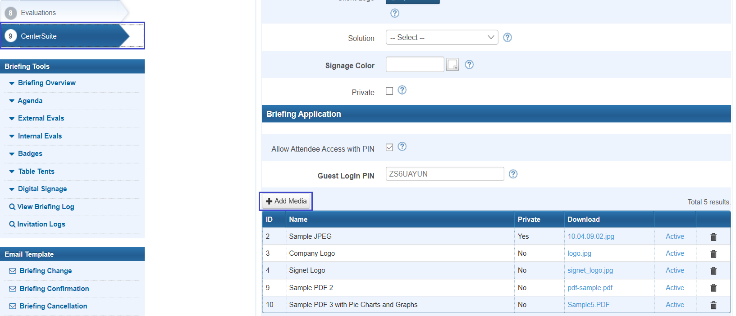
Briefing medias are specific medias available to attendees for only this briefing. Clicking on the ‘Add Media’ button you can add some media files to the briefing(Figure 4.1-4.2). Accepted file types: jpg, png, pdf, mp4
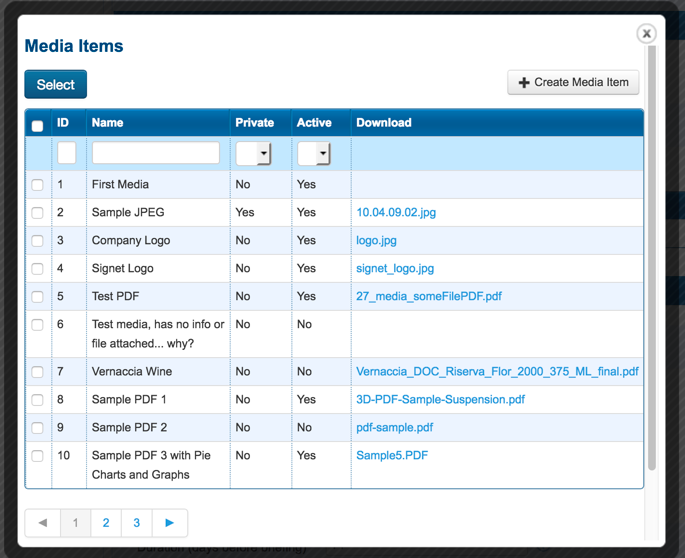
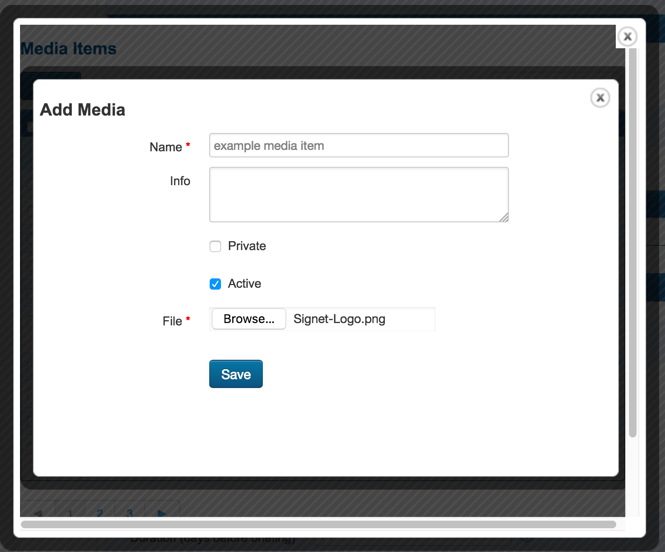
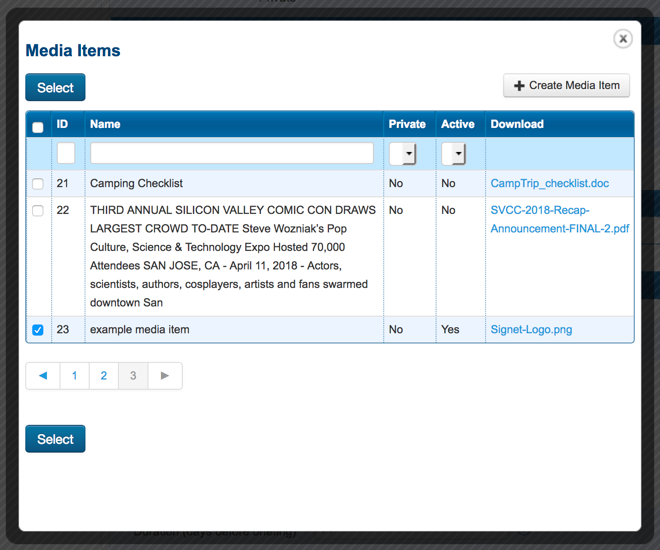
You can choose from medias that have already been uploaded to the Briefing Source selecting medias in the grid(Figure 4.2) or you can upload a new media using the button ‘Create Media Items’ in Figure 4.2. Then in a new form (Figures 4.3) you should type the name of media and upload some media from your computer. Once a new media is created, it appears in the grid(Figure 4.4)
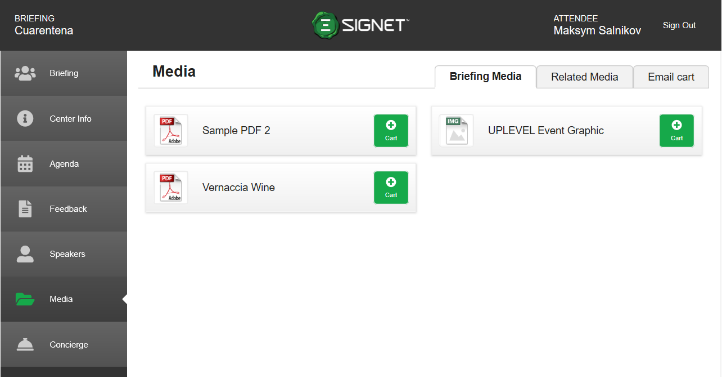
This media and all other medias selected for the briefing will be shown in the ‘Briefing Media’ section of the Media tab (Figure 4.5) and users can preview and download this media just like Related Media.
|
Figure 4.1 - Briefing Media in Briefing Source |
Figure 4.2 - Add media to briefing |
|
Figure 4.3 - Creating a new media for the briefing |
Figure 4.4 - Choosing a new media for the briefing |
|
Figure 4.5 - Briefing Media tab in App |
|