
Summary
There are three states to the CenterSuite app: Pre-Briefing (Figure 3.1), Day-of (Figure 3.2 - 3.4), and Post-Briefing (Figure 3.5) experience. Briefing managers can toggle the pre- and post-briefing experiences per briefing and they choose the sections of the app available during all experiences in BriefingSource.
The pre-briefing experience (Figure 3.1) often highlights the Center Info and Concierge sections on the home page of the app so attendees can learn more about your experience center before their briefing. Salutation images and messages can change depending on which experience the attendee is looking it.
During the day-of experience there are three sub-states: time before the first agenda(Figure 3.2) when day-of salutation is shown and the first agenda of the day; time of some current agenda(Figure 3.3) when the current agenda is expanded and shows information about speaker, evaluations forms; time after the last agenda(Figure 3.4) when ‘Thank you’ text is shown and the ‘Feedback’ button which leads the attendee to the ‘Feedback’ page.
When the attendee runs the application after the last day of briefing, Post-briefing state(Figure 3.5) it’s shown post-briefing salutation image and text, ‘Thank you’ text and the ‘Feedback’ button.
|
Figure 3.1 - Pre-briefing experience |
Figure 3.2 - Day-of experience (before the first agenda) |
|
|
Figure 3.3 Day-of experience (during current agenda) |
Figure 3.4 - Day-of experience (after the last agenda) |
|
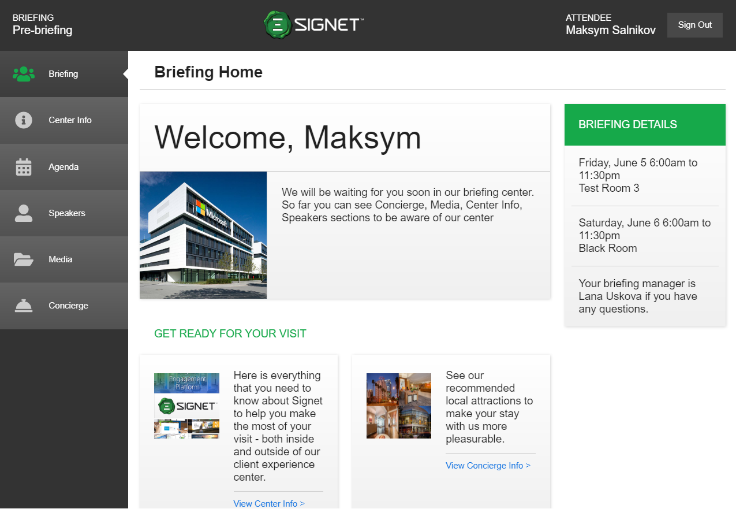
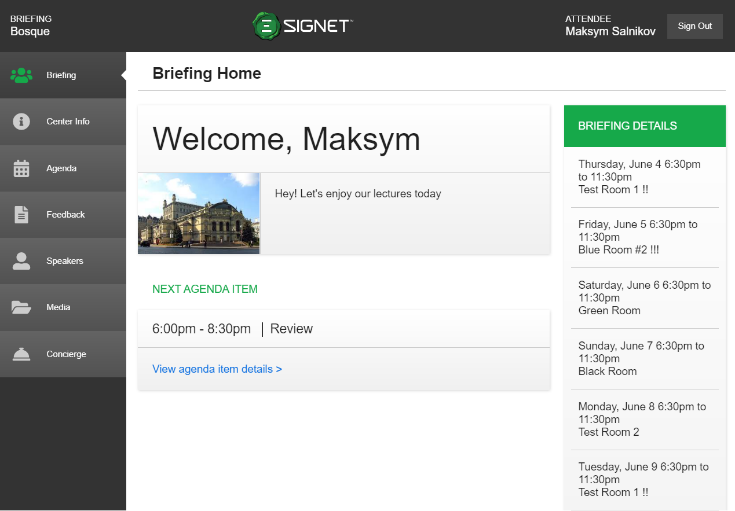
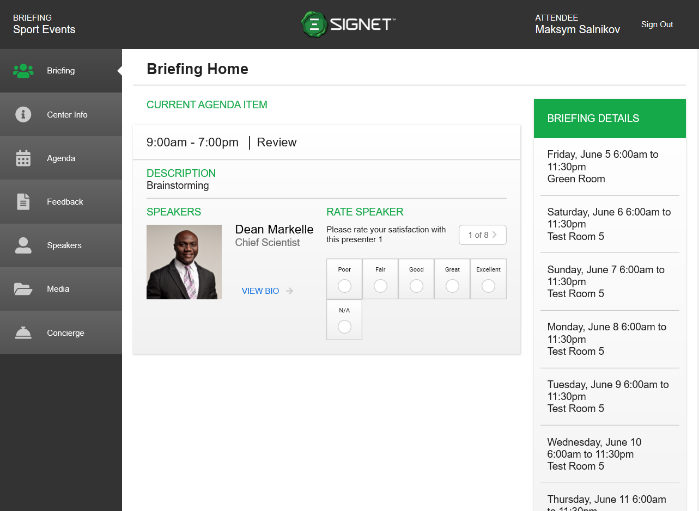
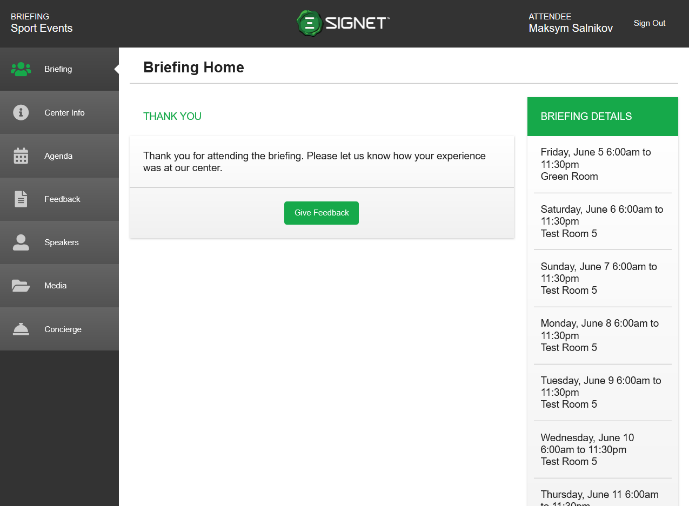
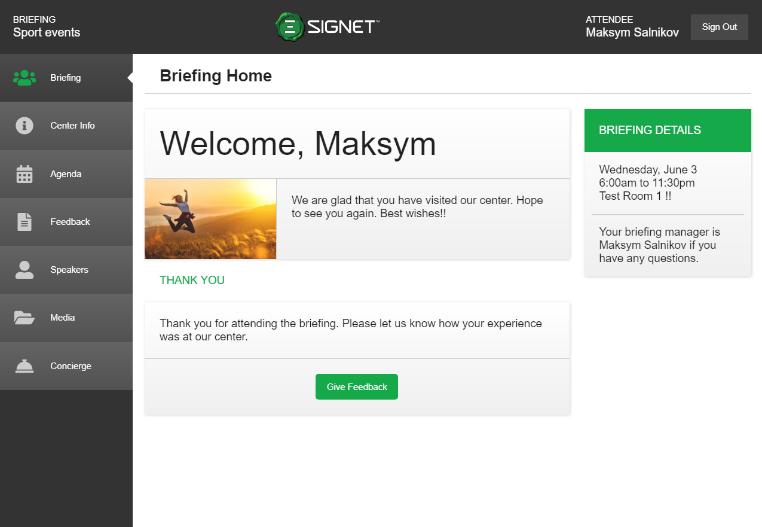
Figure 3.5 - Post-Briefing experience