
To Import the New Engagement Fields Mapping – Front-End Integration CSV file
1. Navigate to: Advanced Settings→ Data Management → Imports
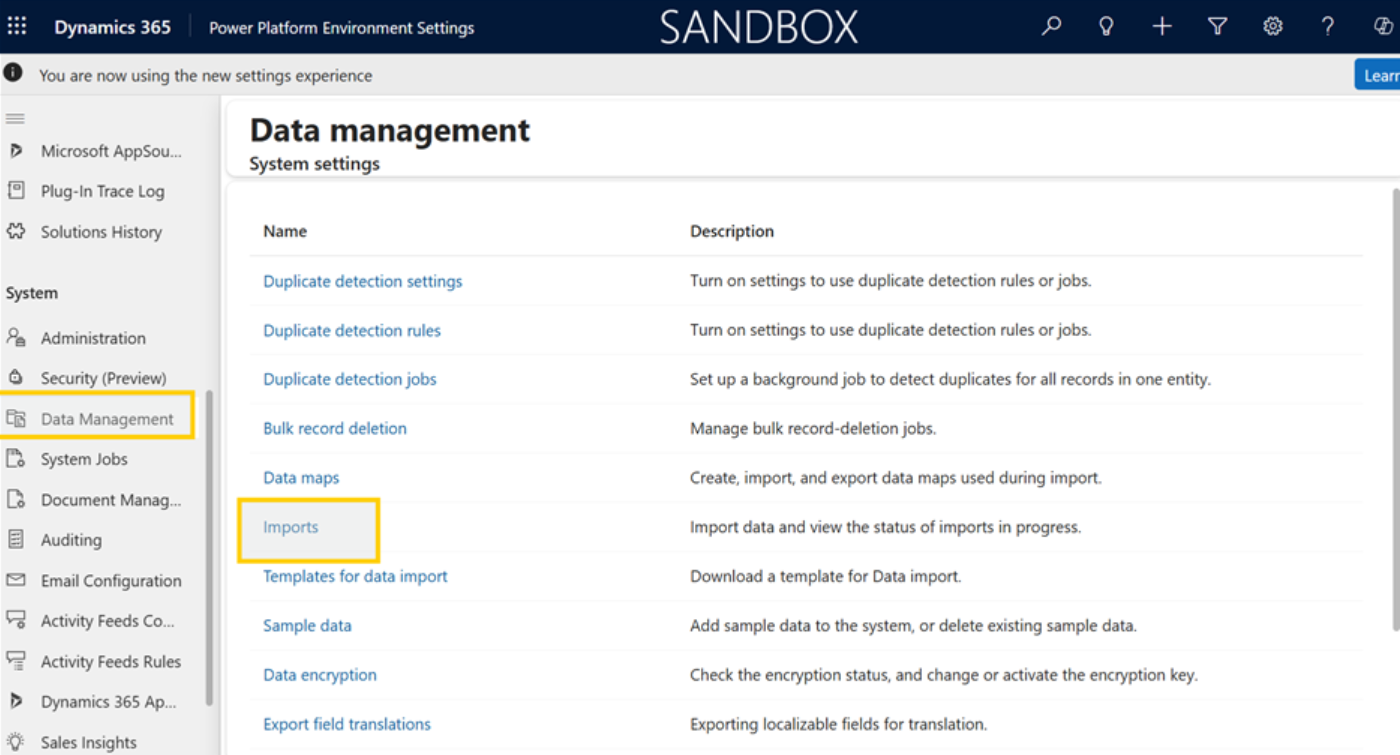
2. Now Click on Imports

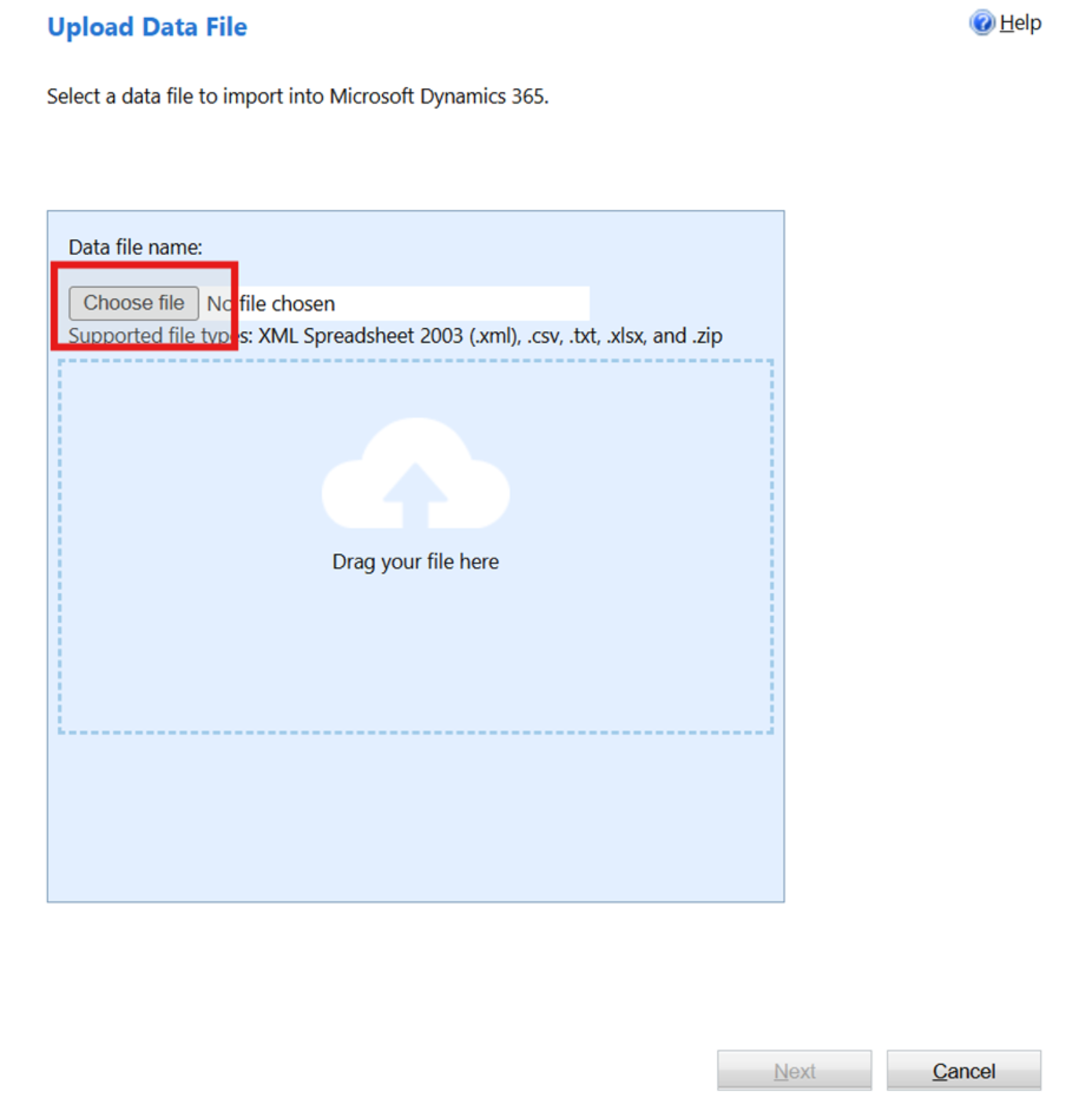
- Go to: “choose file” to upload the csv file from your system and click on “Next”
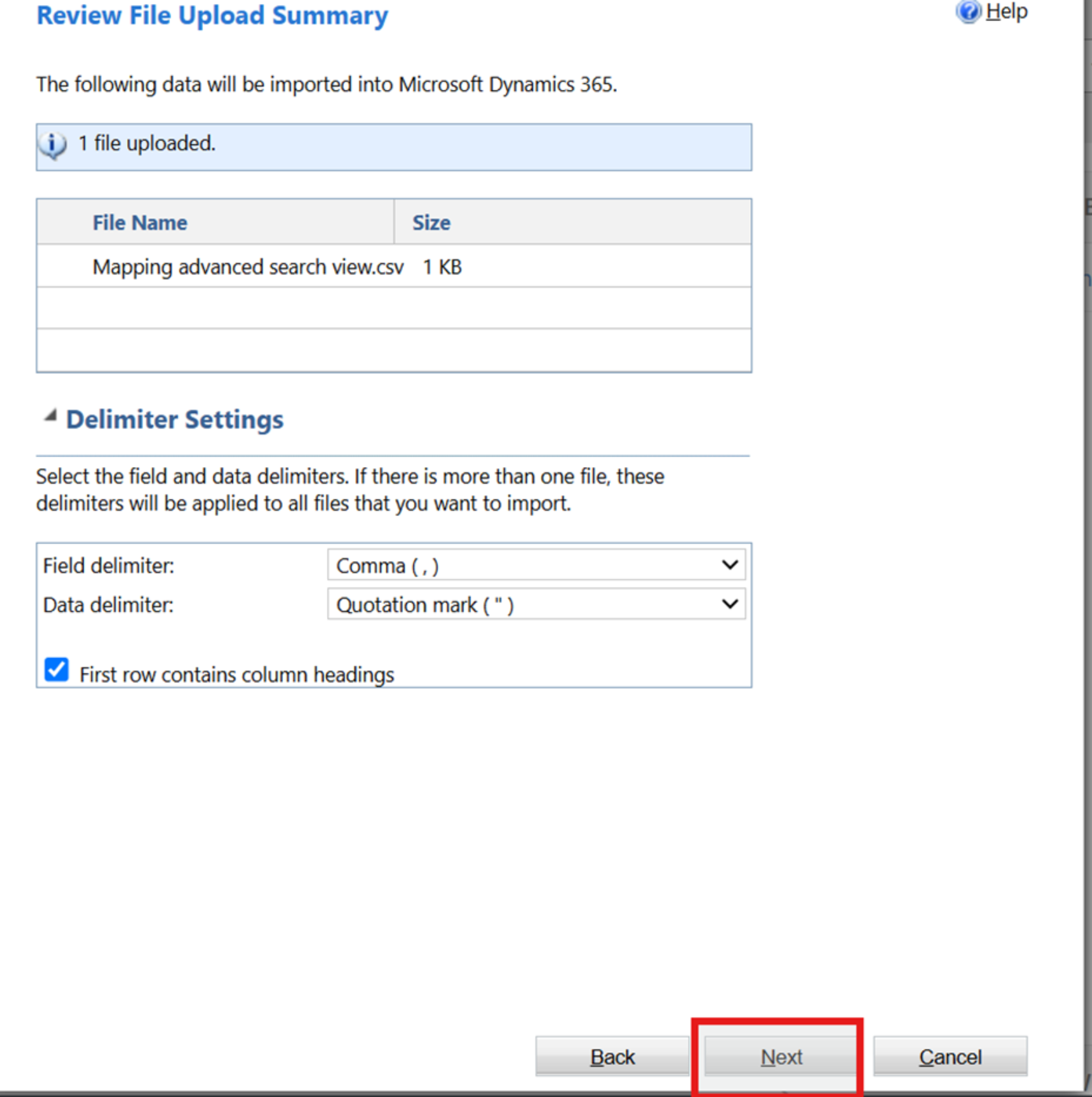
3. Once file is uploaded, click on next
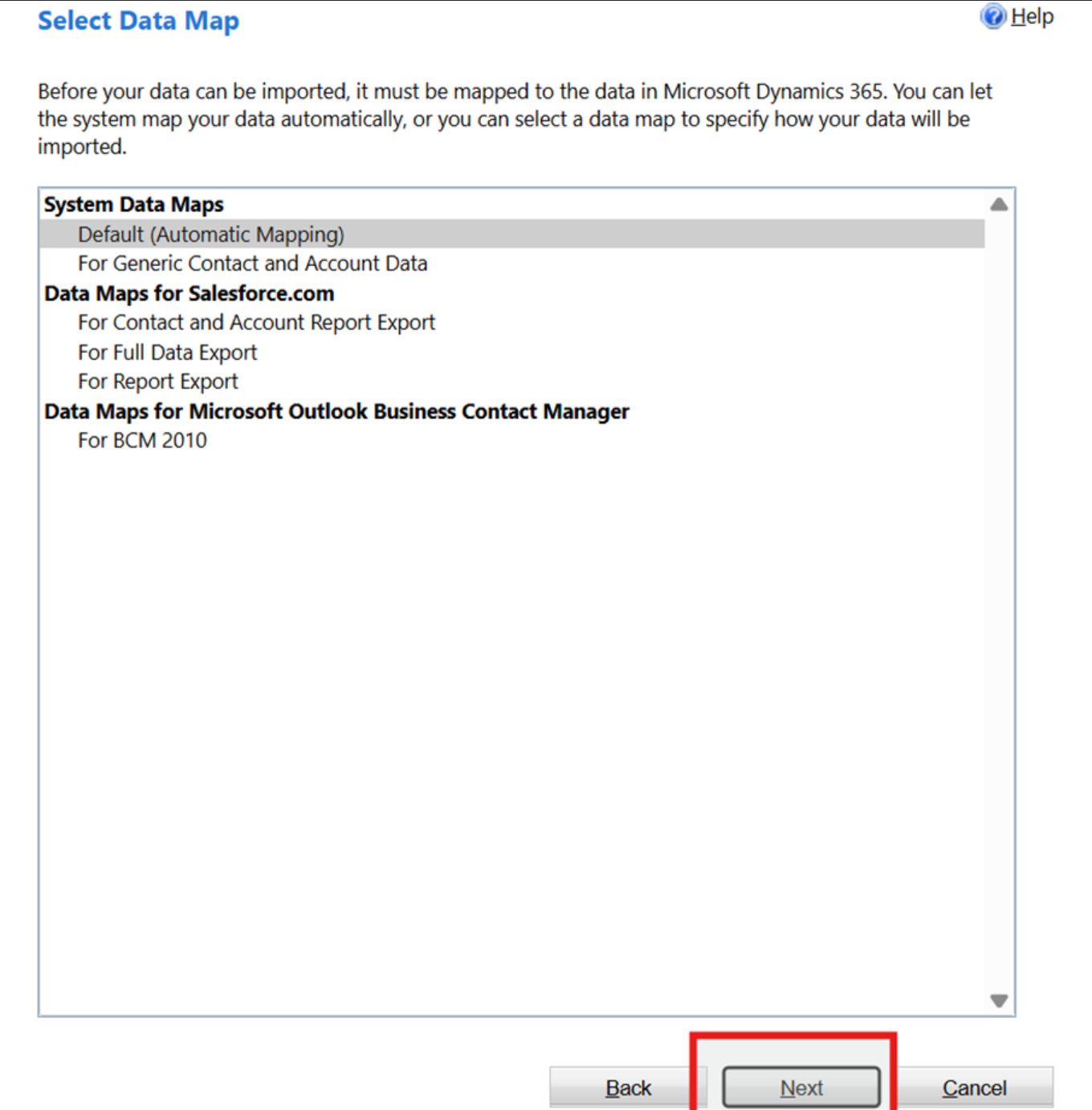
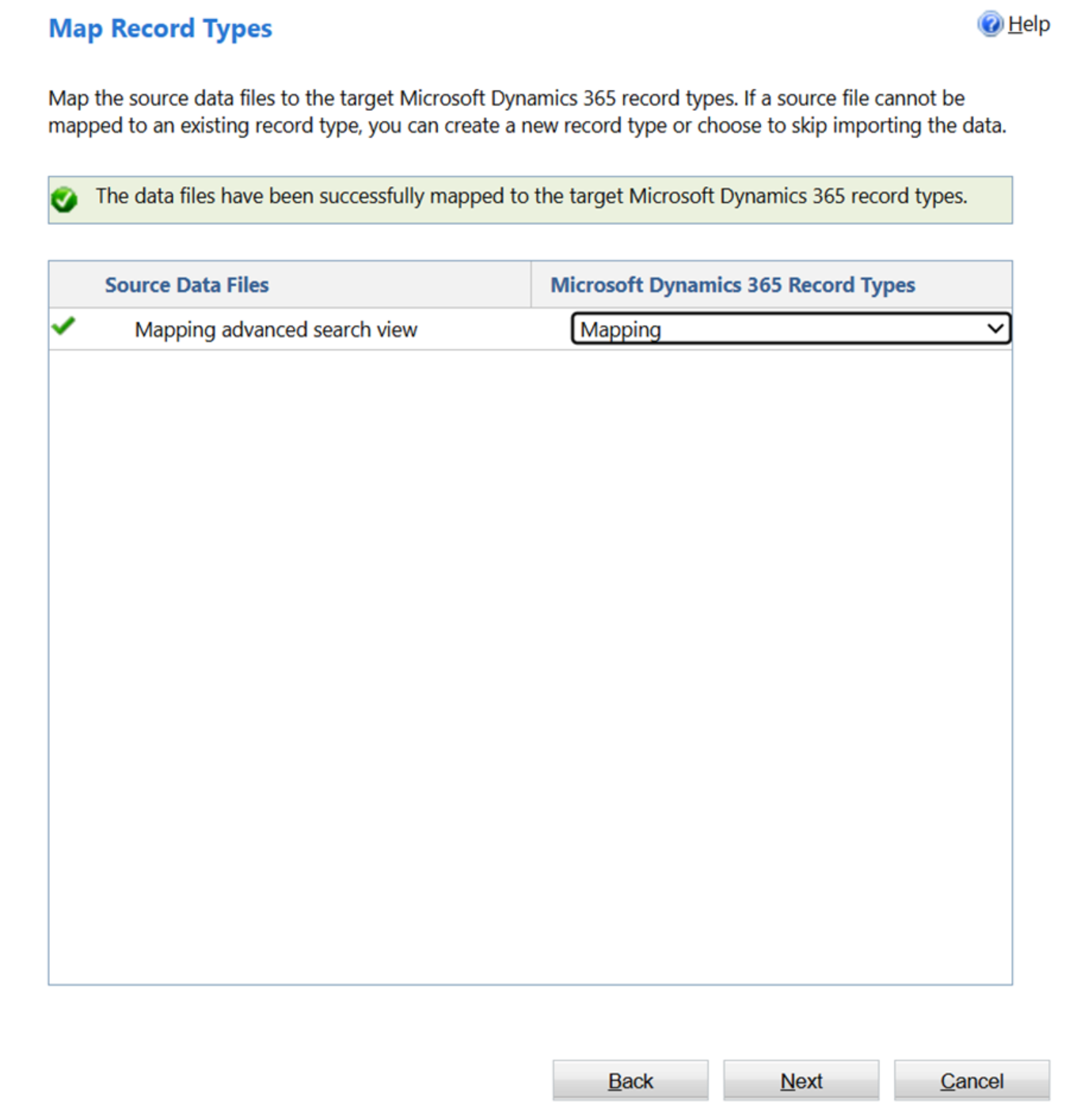
4. Follow the screenshot to map the correct entity to the source data file
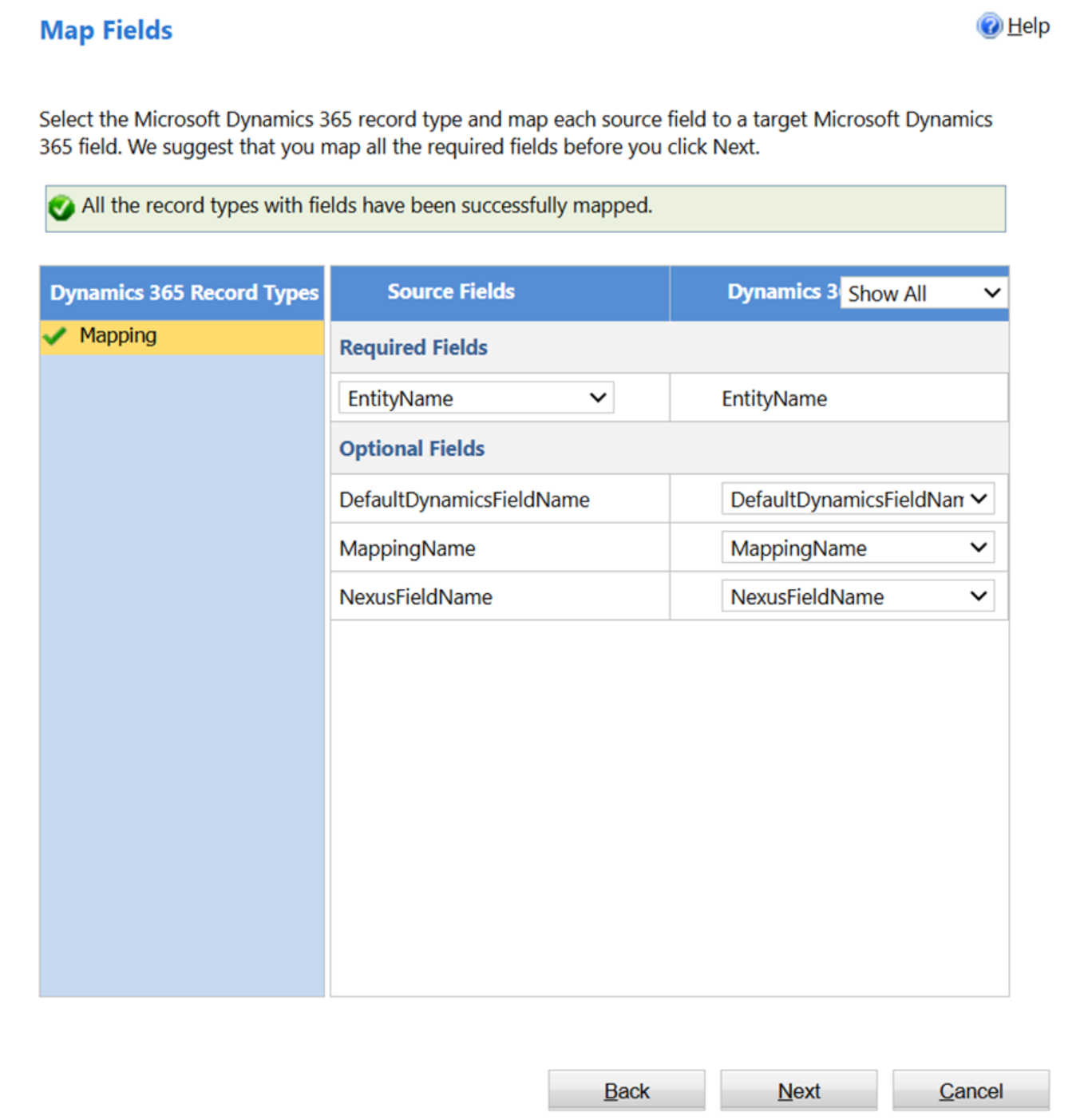
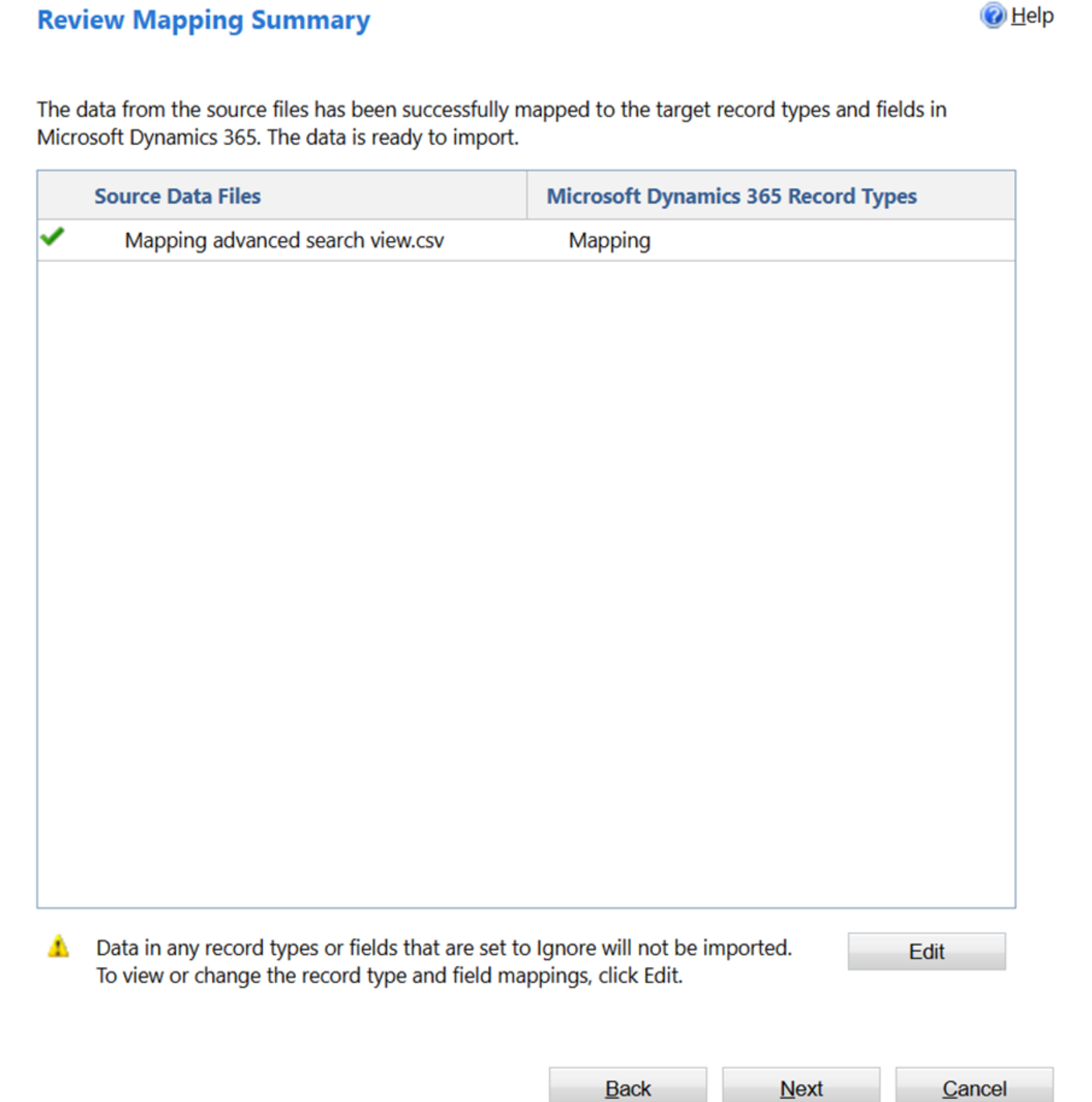
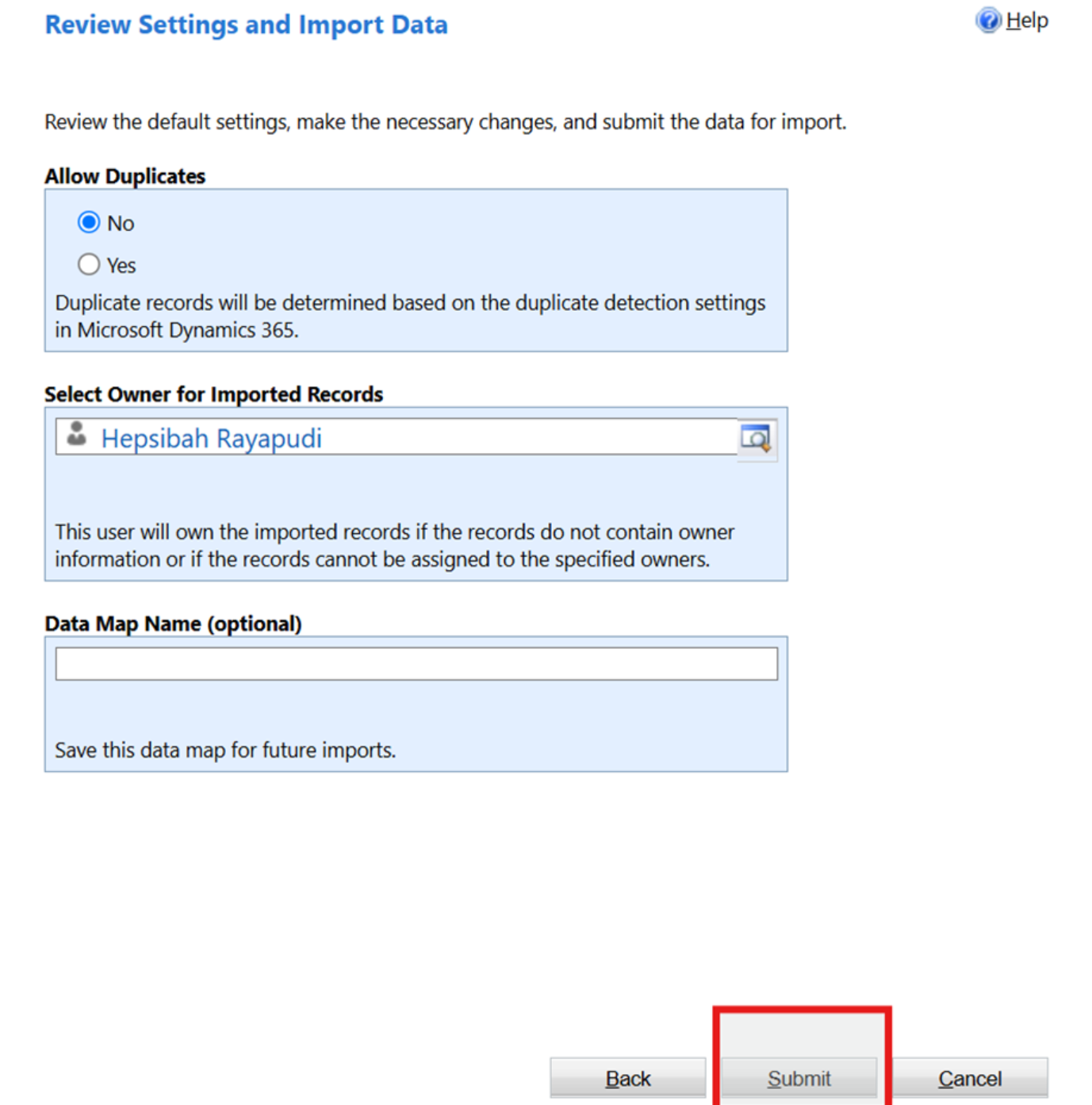
6. Once you review the mappings correctly, click on Submit button
7. Once the import is done you will see as below in the imports section
